
Can WhatsApp messages be used as evidence?
WhatsApp conversations can contain a detailed record of what was said, when it was said and who was involved. When a dispute or legal matter develops, those messages may become part of the information you need to keep, review or discuss with a solicitor.
But if you have months or years of messages, questions quickly arise about screenshots, chat exports, surrounding conversations and what you should keep.
How can WhatsApp messages be used as evidence?
WhatsApp messages are a form of digital communication. Depending on the circumstances, a conversation can provide a record of:
- what was communicated at a particular time;
- when a conversation took place;
- who was involved in the conversation;
- arrangements that were discussed or changed; and
- the sequence in which conversations developed.
Crown Prosecution Service guidance on communications evidence explains that digital communications can come from electronic devices, social media and other platforms capable of capturing communication data. It also notes that the time, method and frequency of communication may be relevant alongside the identity of the sender or receiver and the content of the communication.
What a particular WhatsApp conversation means for an individual legal matter is a different question. Relevance, disclosure, admissibility and the weight placed on material can depend on the proceedings and circumstances.
LegallyHeard doesn't determine those questions, and this guide isn't intended to tell you which messages you should rely on.
Can screenshots of WhatsApp messages be used as evidence?
Yes. Screenshots of WhatsApp conversations can be used as evidence.
For example, Cafcass guidance on social media information in family proceedings expressly recognises that families may present screenshots or printouts of online conversations to a practitioner or the court.
The same guidance also makes an important distinction: whether information is relevant must be assessed in the context of the proceedings, and any dispute about the authenticity of online information may need to be resolved by the court.
So the practical question isn't simply whether a screenshot can be used. It's also what information the screenshot actually preserves.
WhatsApp screenshots vs chat exports: what's the difference?
A screenshot and a WhatsApp chat export are different ways of capturing a conversation.
| Screenshot | Chat export |
|---|---|
| Captures what is visible on screen | Can contain a much longer sequence of messages |
| May show one message or a short exchange | Can make the sequence of a conversation easier to follow |
| Surrounding conversation may be limited | Retains more of the conversation in one record |
| Useful for quickly capturing something visible | More practical for working with a large communication history |
| Large numbers can become difficult to organise | Can make conversations spanning months or years easier to navigate |
Neither format automatically determines whether a message is legally relevant, admissible or reliable. They preserve and present the information differently.
If you're keeping screenshots as part of your own records, retaining the underlying conversation where possible gives you a route back to the source rather than leaving you with an isolated image.
Why can the surrounding conversation matter?
Imagine you have a screenshot containing one message:
“Okay, I'll do that instead.”
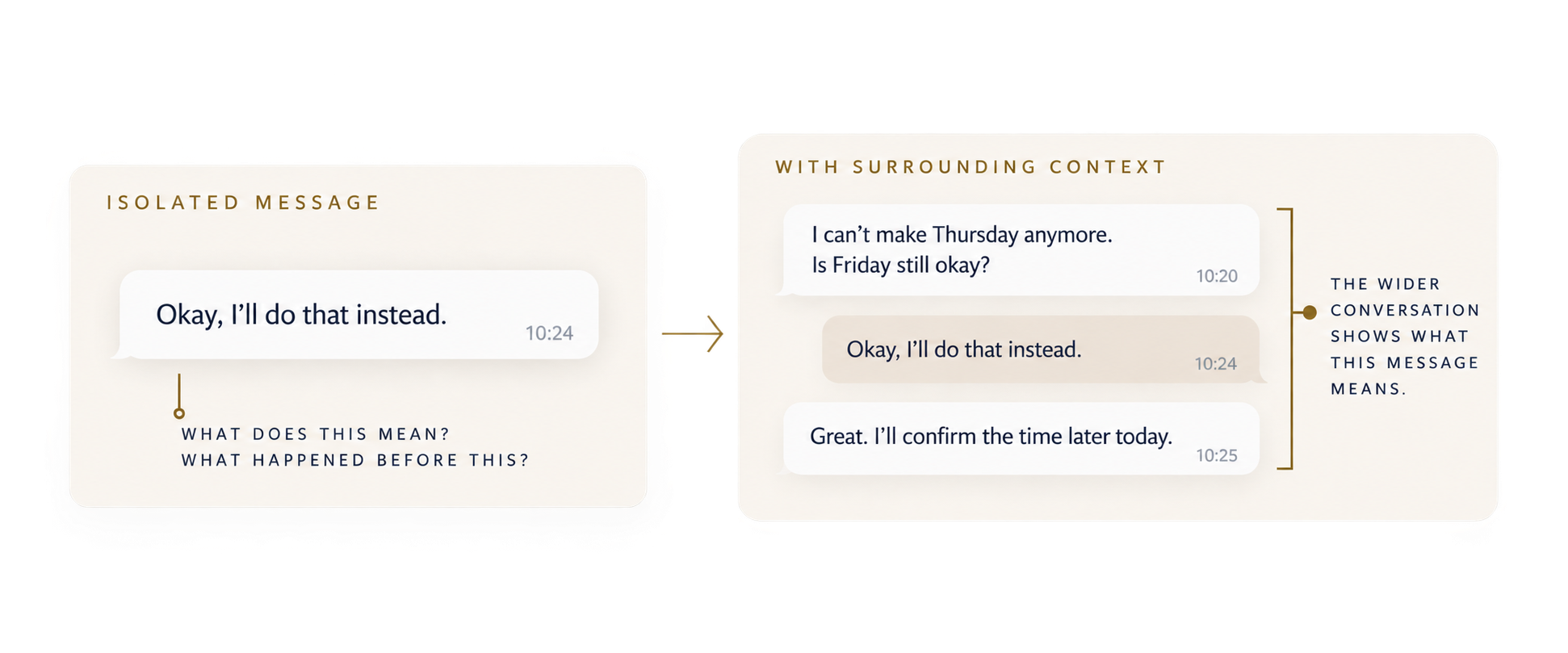
Read the comparison in text
Isolated message at 10:24: “Okay, I’ll do that instead.”
With context, the preceding message at 10:20 is “I can’t make Thursday anymore. Is Friday still okay?” The following message at 10:25 is “Great, I’ll confirm the time later today.”
You can read the words, but without the wider conversation you may not know what the person agreed to do instead, what prompted the response or what was said afterwards.
If the underlying conversation is still available, you can return to the messages before and after it. The message itself hasn't changed. You simply have a clearer record of where it sits within the conversation.
This becomes increasingly useful when messages stretch across months or years.
If dozens or hundreds of screenshots are saved without a clear route back to their source, you can end up with a large collection of images that’s difficult to navigate or put back into sequence.
Keeping the underlying conversation available makes it easier to return to the original wording and surrounding exchange when you need to check it.
What is a WhatsApp chat export?
WhatsApp allows you to export a copy of an individual or group chat, with or without media.
Unlike a screenshot, which captures what is visible on screen, a chat export can contain a much longer sequence of messages in one record. This can be particularly useful when a conversation stretches across months or years.
For someone working with hundreds or thousands of messages, an export can also be more practical to organise and review than taking large numbers of individual screenshots.
WhatsApp provides instructions on how to export chats from the app.
Related guide: How to export your messages
Should you keep the whole WhatsApp conversation?
Keeping the wider conversation available doesn't mean every message will ultimately need to be sent to a solicitor, disclosed or included in court material.
Those are different questions.
From an organisation perspective, retaining the wider record can make it easier to:
- find an individual message again;
- see what was said before and after it;
- check dates and the sequence of conversations;
- identify where an extract or screenshot came from; and
- return to the original wording when checking notes or summaries.
Keeping information is not the same as deciding what should be relied upon as evidence.
If you need to decide what should be disclosed, provided or relied upon in legal proceedings, follow any applicable rules or directions and seek legal advice where needed.
What if you have hundreds or thousands of WhatsApp messages?
The practical problem changes as the volume grows.
Finding one exchange among 50 messages may be relatively straightforward.
Finding a particular conversation among 5,000 or 20,000 messages spread across months or years is very different.
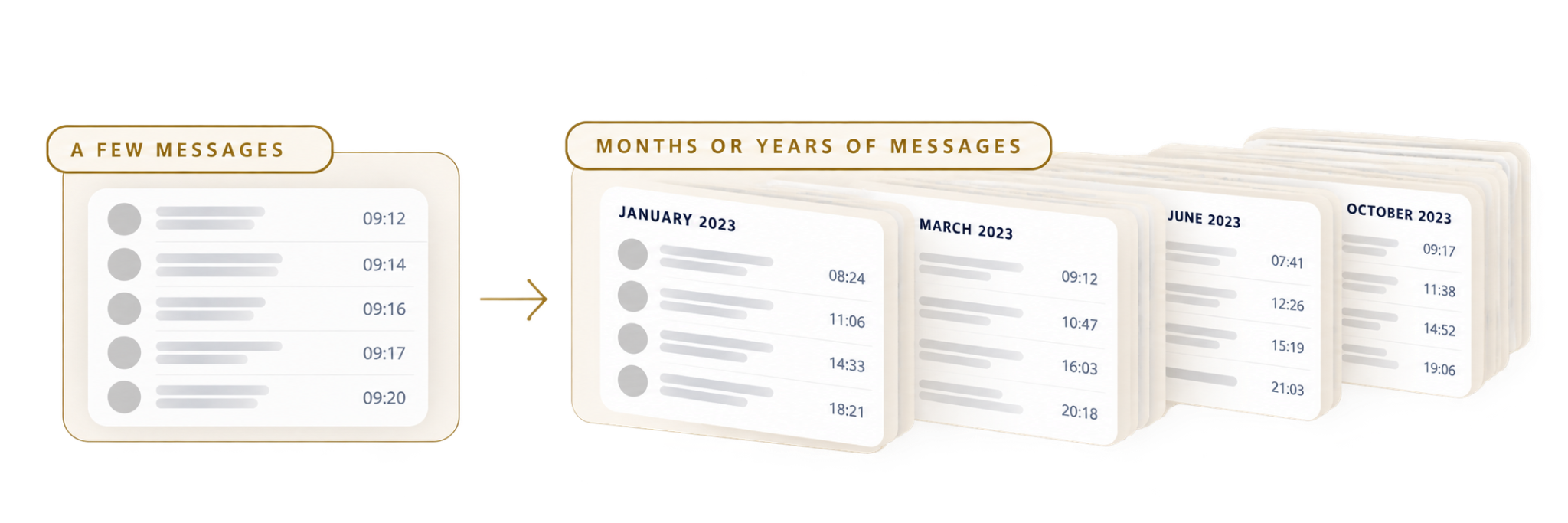
You may find yourself:
- repeatedly scrolling through the same conversation;
- taking large numbers of screenshots;
- trying to remember approximately when something was said;
- saving images with file names that tell you very little;
- copying individual messages into separate notes or documents; or
- struggling to find the original exchange again later.
At that point, the challenge isn't simply having the messages. It's being able to navigate the communication history and find what you're looking for when you need it.
How long could reviewing your messages take?
LegallyHeard's time and cost calculator can help you estimate how long it could take to review a large message history manually.
How to organise WhatsApp messages for a legal matter
If you're keeping WhatsApp conversations as part of your records, a few simple principles can make the information easier to manage.
Keep a route back to the original conversation
If you take a screenshot, copy a message into another document or make a note about an exchange, keep enough information to locate the conversation again.
That might include the people involved, date, approximate time and source.
Keep an unchanged copy of exports
If you export a conversation, keep an unchanged copy before using other copies for your own organisation or review.
This gives you a consistent version to return to later.
Keep your notes separate from the messages
Your own notes can help you remember why you wanted to return to a particular exchange.
Keep a clear distinction between what was actually said in the conversation and anything you've written about it afterwards.
Use dates and sources to make messages findable
Instead of a note such as:
“See screenshot 2741.”
A reference such as:
“WhatsApp conversation with Person A, 14 March 2026 at around 18:40.”
gives you a clearer route back to the underlying conversation.
The purpose isn't to decide what the message means legally. It's to make the information easier to locate and check.
How LegallyHeard can help with WhatsApp messages
LegallyHeard is designed for situations where a large communication history has become difficult to navigate and review manually.
You can:
- bring supported WhatsApp exports into your case and read imported messages in date order.
- search imported messages to find particular words or exchanges and move back to the surrounding conversation when you need more context.
- mark information you want to return to and add your own notes without changing the original message record.
This can make it easier to work through months or years of communication while keeping the original wording, source and surrounding context within reach.
LegallyHeard doesn't decide whether a message is legally relevant, admissible or important to your case. It helps you organise and navigate the information so you can work from a clearer record.
FAQs
Are WhatsApp screenshots enough?
That depends on what the screenshot is being used for and the requirements of the particular legal proceedings. From a record-keeping perspective, a screenshot may capture only a small part of a longer exchange. Retaining the underlying conversation gives you a way to check the source, sequence and surrounding messages later.
Are WhatsApp chat exports the same as the original messages?
No. A WhatsApp chat export creates a separate text-based record of the conversation outside the live chat. WhatsApp states that an exported chat history is a text file rather than a backup and cannot be re-imported as a chat.
Exports can be useful for organising and reviewing longer conversations, but keeping an unchanged copy of the export and retaining access to the original conversation where possible gives you a clearer route back to the source.